Title here
Summary here
Scenario: Global Trade Logistics serves as a primary financial clearing partner within Operamadic ERP. Under their global account, they manage distinct downstream target entities and freight-forwarding vendors.
Due to an urgent clearance handling contract, the main treasury team needs to deploy a payout totaling 2,500,000 NGN out of their main balance reservoir pool. This payout must be cleanly documented against a specific Partner profile and dedicated Profile Companies (e.g., West Coast Port Operators and Lagos Hub Custom Handling). To complete this cleanly, the treasury technician needs to build an external transaction container, map discrete entry breakdowns, assign validation workflow paths, and attach certified compliance proof paperwork.
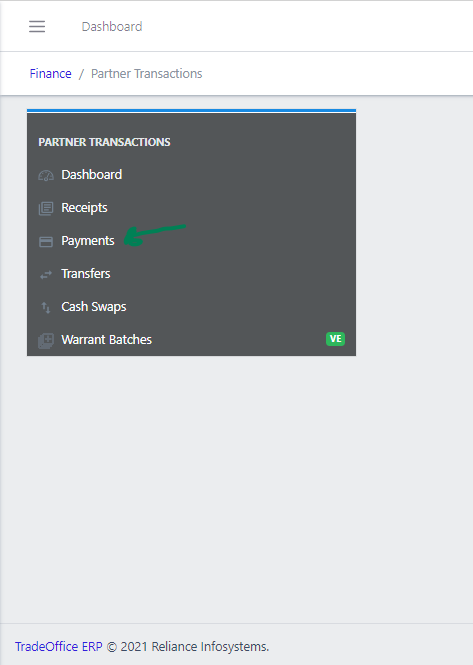
To safely look up specific audit trials, balance runs, or trace entries assigned to specific system actors, open the advanced parameters filter screen dialog overlay.
payment-fig01.png).payment-fig01.png).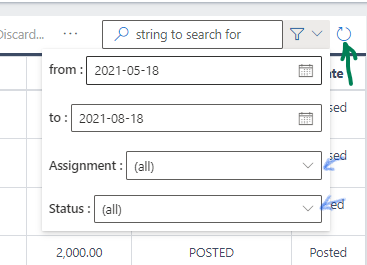
Optimize the target queries using the following setup criteria fields (payment-fig03.png):
from : / to :): Define standard accounting checking lines (e.g., reviewing custom entries initialized between 2026-03-18 and 2026-06-18) (payment-fig03.png).payment-fig03.png):(all) – Broad global system visibility index.EXPLICITLY_ME / POSSIBLY_ME – Isolates files strictly parked under your operational signature queue waiting for action execution (payment-fig03.png).MY_SECROLE / MY_UNIT / MY_DIVISION / MY_ORGROLE – Filters down to specific functional department zones, branches, or organizational units.NOT_HUMAN – Targets programmatic background journal transfers run by internal service nodes.payment-fig03.png):ACTIVE, COMPLETED, or NEGLECTED (payment-fig03.png).Gateway_ToTransact, Gateway_ToConfirm, Request_Invalidate, or Invalidated.payment-fig03.png).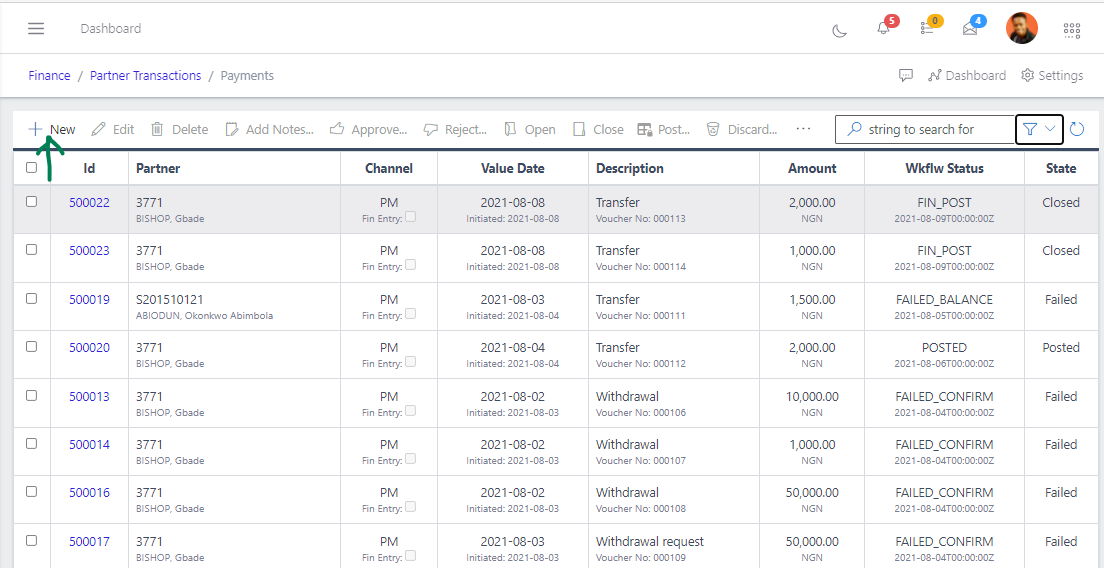
+ New button positioned at the far left edge of the actions horizontal row panel (image_9f71fa.png).image_9f7566.png).The header parameters panel configures global execution variables (image_9f7566.png):
2026-06-18) (image_9f7566.png).image_9f7566.png).image_9f7566.png).PM) (image_9f7566.png).image_9f7566.png):image_9f7566.png).NGN) and specify the total monetary value (image_9f7566.png).image_9f7566.png).After configuring the high-level payment parameters, use the layout tab sub-views to populate destination info and routing instructions.
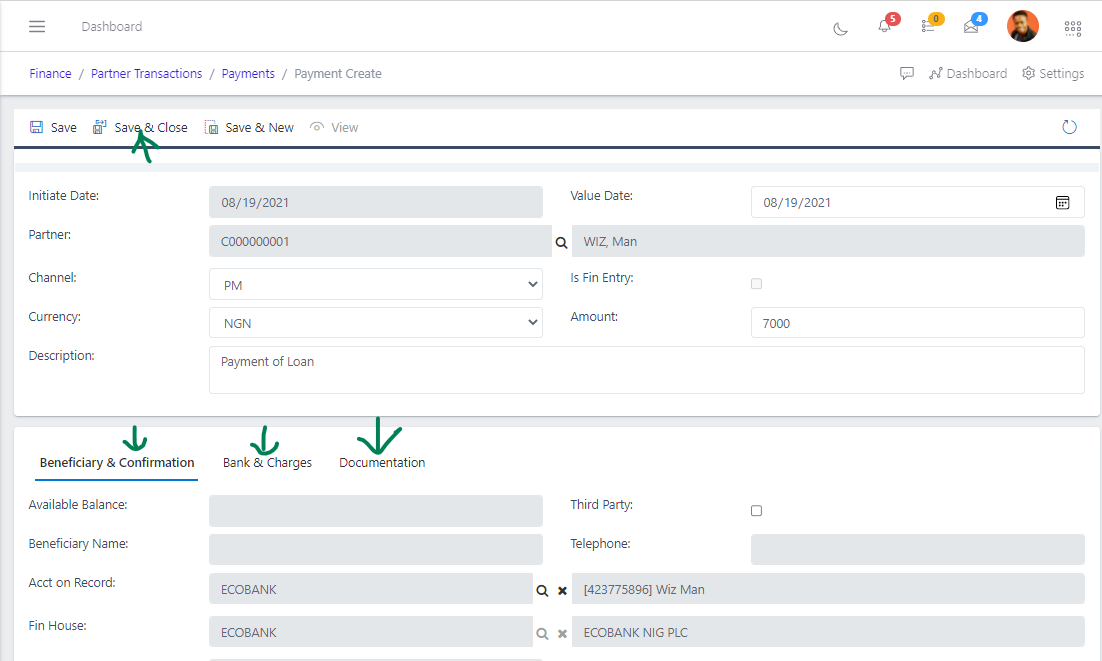
On the Beneficiary & Confirmation sub-tab layer, refine recipient delivery targets (image_9f750a.png):
image_9f750a.png).image_9f750a.png).image_9f750a.png).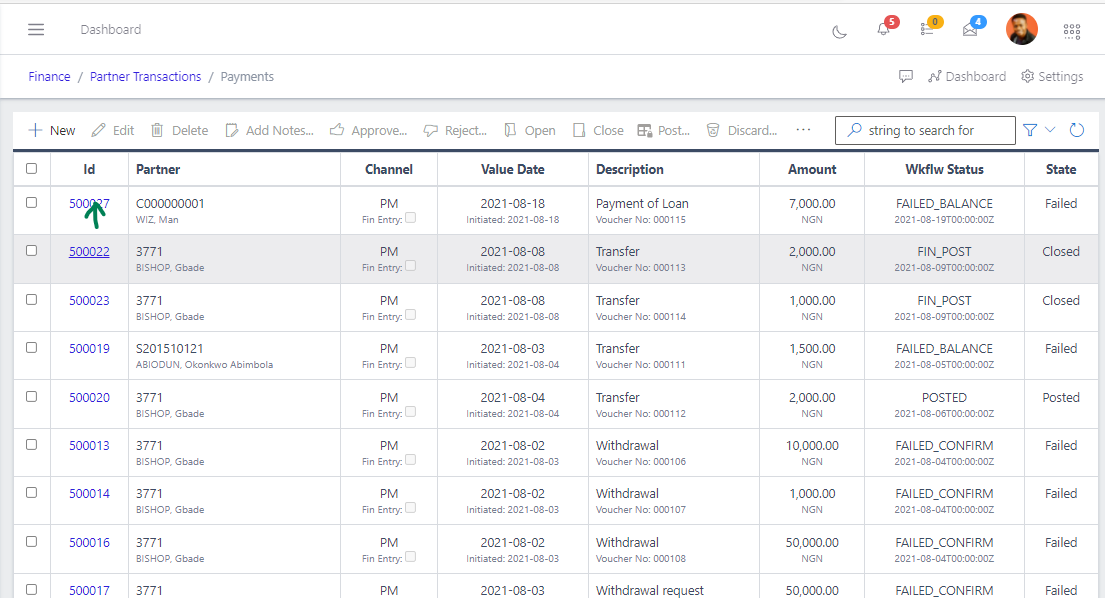
Switch over to the Bank & Charges pane to register counterparty handling mechanics (payment-fig06.png):
payment-fig06.png).DIRECT, WIRE, or CHEQUE) (payment-fig06.png).payment-fig06.png).To satisfy strict tracking and internal financial audit requirements, you must attach verified supporting documents directly to the transaction record container before submitting it for review.
payment-fig07.png).+ New (payment-fig07.png).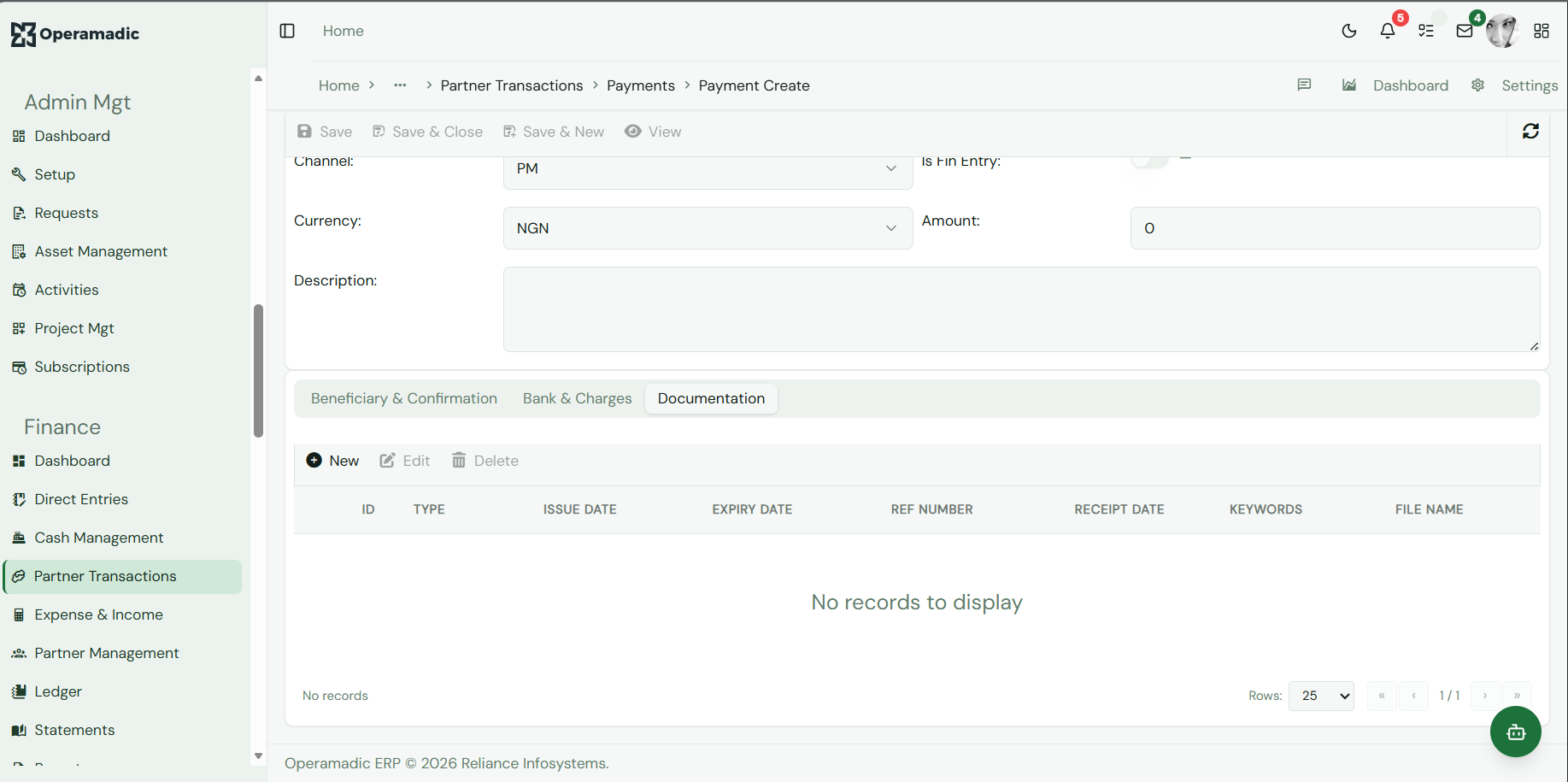
Provide these tracking fields inside the metadata registry grid (payment-fig07.png):
payment-fig07.png).payment-fig07.png).payment-fig07.png).payment-fig07.png).Save & Close from the topmost global primary template bar area to commit your payment record draft safely into the database repository system stack (payment-fig07.png).Once a Partner Payment item configuration state file is recorded as an active dashboard entry line row item component inside the master ledger index workspace, highlight the tracking line row selector box to lock action focuses on it. This activates the suite of administrative control bar tools (image_9f71fa.png):
Edit: Opens the item details page back up to modify numbers, add entry lines, or change profile routing before locking the document for review (image_9f71fa.png).Delete: Permanently drops an unposted or broken draft transaction model instance out of the platform indexes completely (image_9f71fa.png).Add Notes...: Click this button to append an unalterable text log entry description detail explanation block directly to the item record history for audit purposes (image_9f71fa.png).Approve / Reject: Administrative action overrides used by financial controllers or operations managers to authorize or turn back pending transfer requests based on internal risk policy guidelines (image_9f71fa.png).Open / Close: Shifts the working administrative status boundaries of transactions to lock down editing fields (image_9f71fa.png).Post: Executes the actual balancing accounting adjustments, securely shifting the fund lines across your digital corporate ledger framework structure accounts (image_9f71fa.png).Export: Extracts payment ledger logs instantly into structured external data spreadsheets for offline reference (image_9f71fa.png).... (More Actions / Ellipsis) / Run All: Clicking the ellipsis button exposes an extended command utility list menu dropdown layout sequence (image_9f71fa.png). Here, selecting Run All instructs the automated transaction background engine processing nodes to immediately clear all matching approved and validated queues directly into simultaneous system-wide settlement executions (image_9f71fa.png).