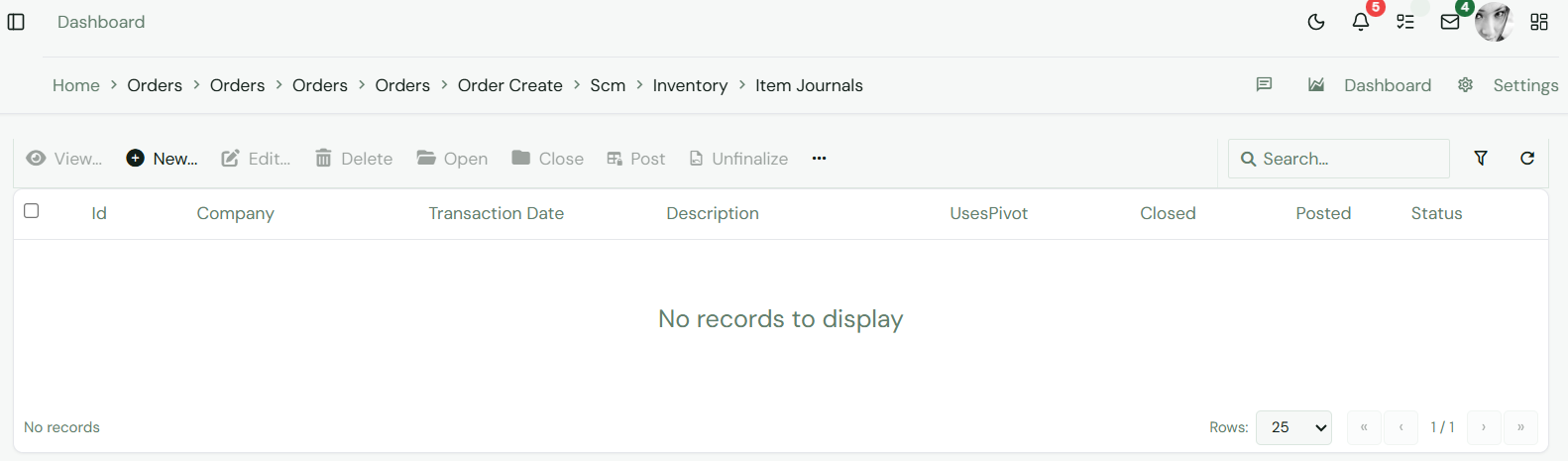
Item Journals On this page Concept# The Item Journals page works with item journal records in the Supply Chain Management module. It supports item, inventory, purchasing, sales, or activity workflows depending on the selected SCM area.
Fields# Field Meaning Journal No Item journal reference. Journal Date Date of adjustment. Lines Items adjusted. Status Posting state.
HowTo# Open SCM and choose Item Journals from the Inventory area. Use filters or search to find the item, customer, vendor, transaction, or report record. Open the record to review quantities, values, dates, status, and linked documents. For editable workflows, choose New or Update, complete the required fields, and save. Confirm that stock, balances, prices, or transaction status now reflect the change. Screenshots# Fig 1.0 Transactions Transfer Entries Fig 1.0 Transactions Transfer Entries