Doc Req Items

Concept

The Doc Req Items page works with document requirement item records in the System module. It supports shared configuration and administration that affects multiple ERP modules.

Fields

FieldMeaning
Requirement GroupParent document requirement group.
Document TypeRequired document type.
MandatoryWhether the document is required.
SequenceOrder in which the requirement appears.

HowTo

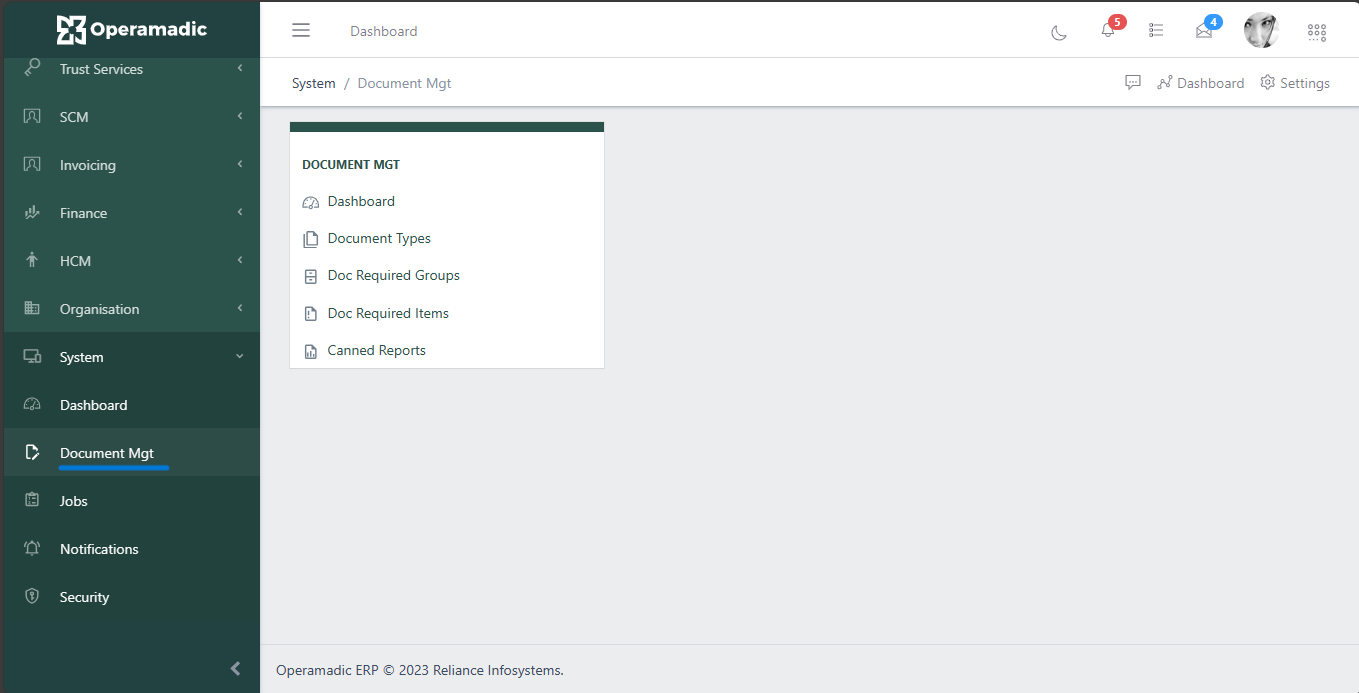
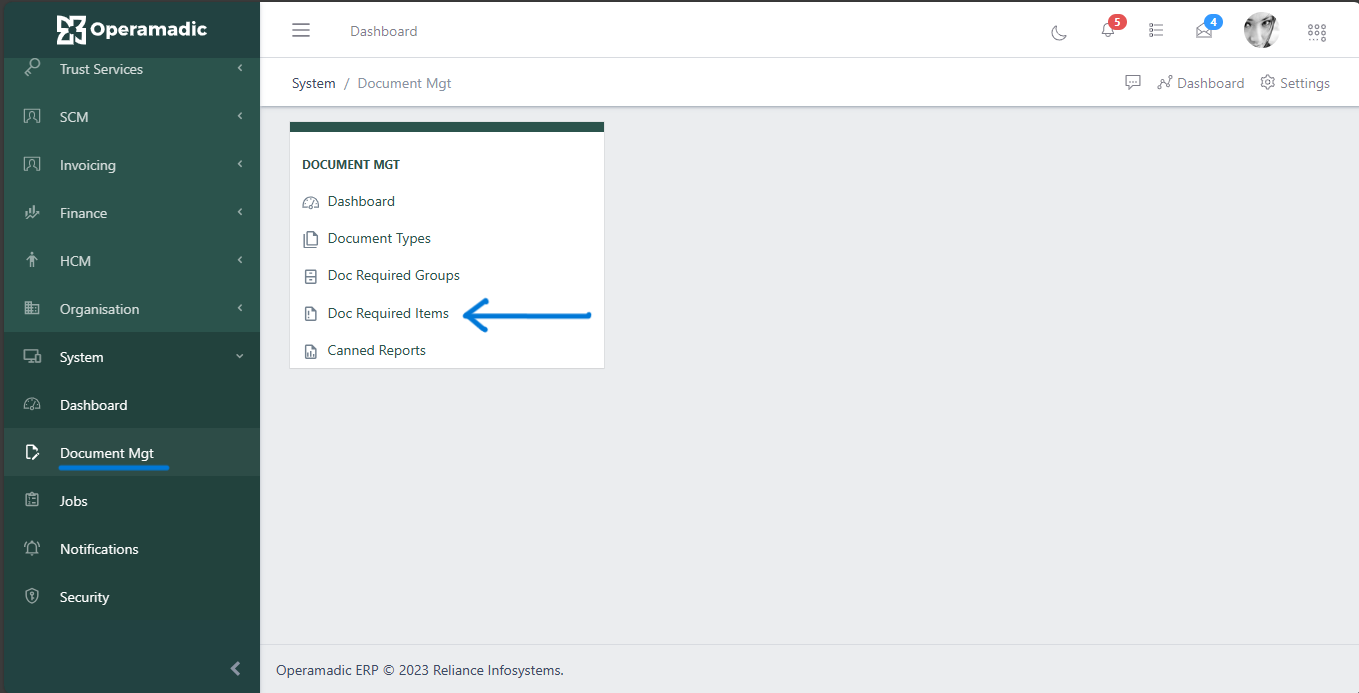
  1. Open System and choose Doc Req Items from the Document Mgt area.
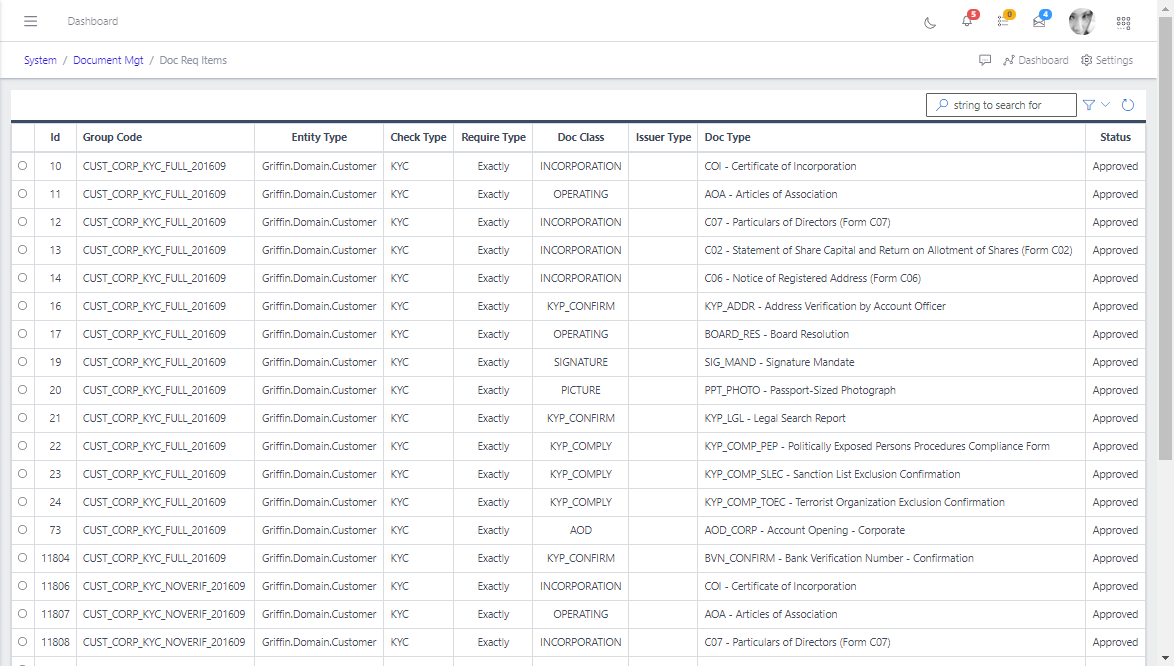
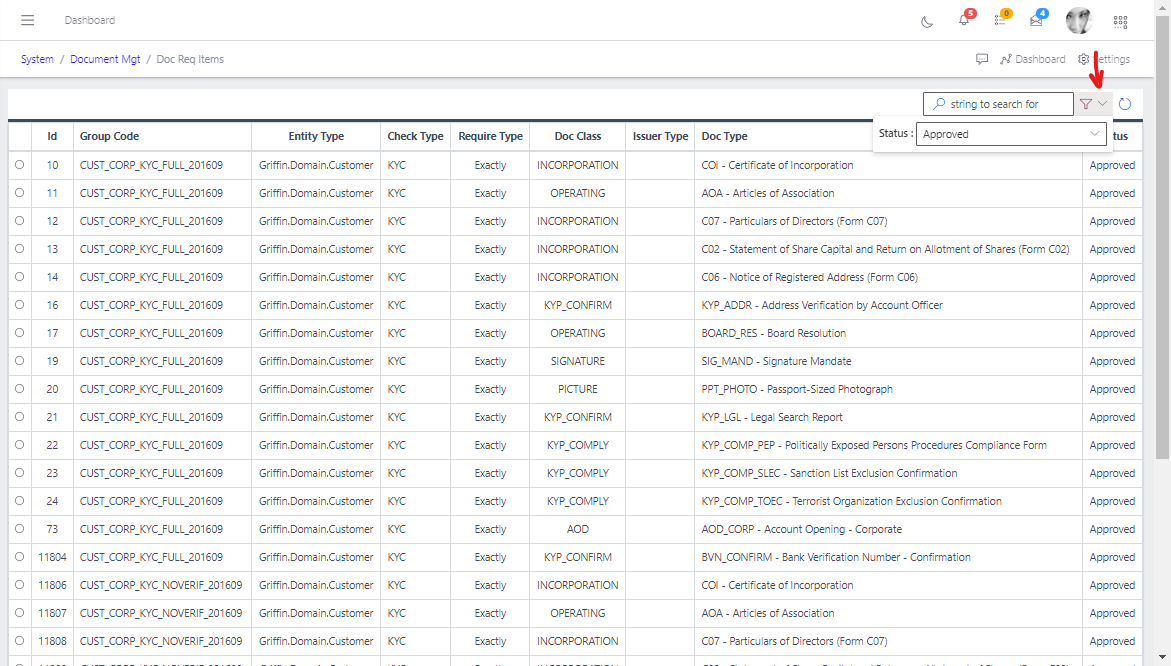
  2. Use filters or search to find the record you need.
  3. Open the record to confirm its status and linked setup.
  4. For editable records, choose New or Update, complete the required fields, and save the record.
  5. Confirm the related workflow, access rule, notification, document requirement, or job now behaves as expected.

Screenshots

Document Management
Fig 1.0
Document Requirement Groups
Fig 1.1
Document Requirement Groups List
Fig 1.2
Document Requirement Groups List
Fig 1.3